The Complete Guide to AI Art: Models, Styles, and Creative Workflows
What is AI Art?
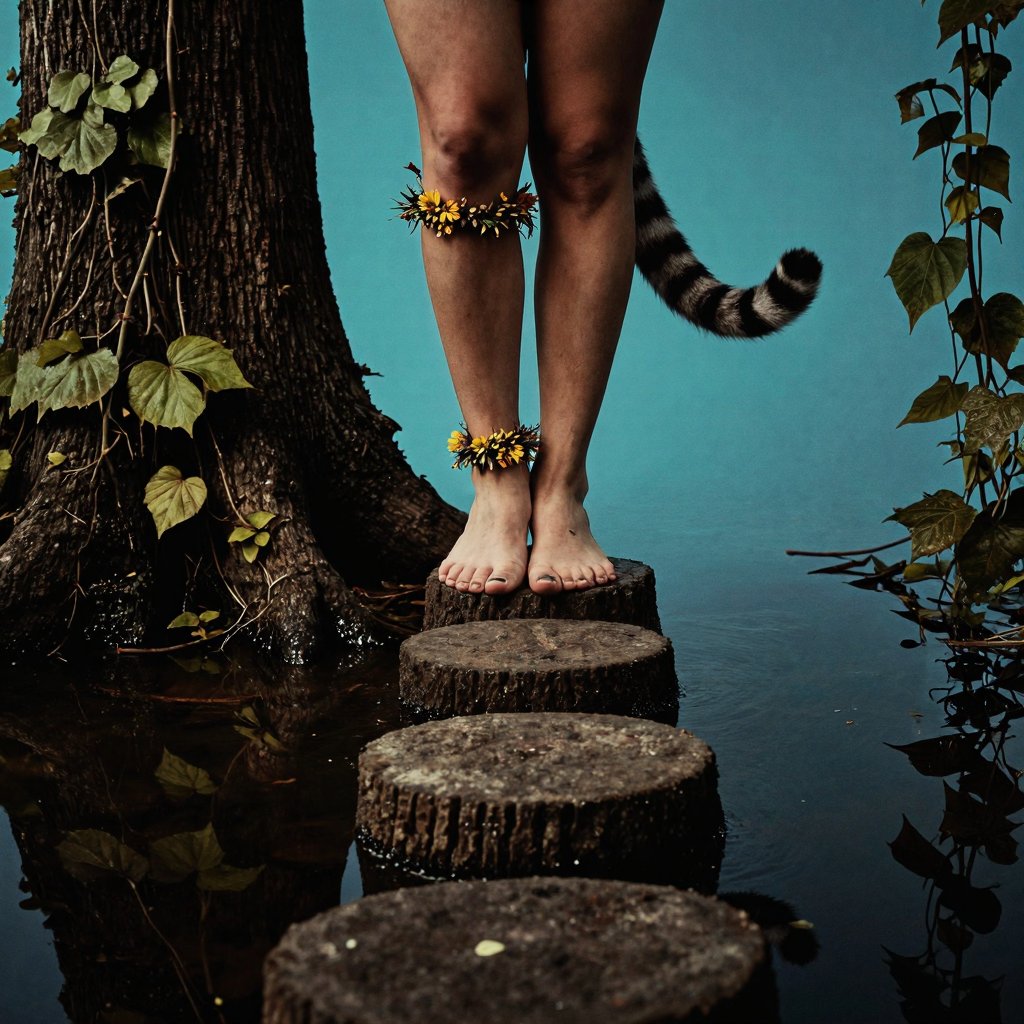
AI art is the practice of using artificial intelligence models to generate visual artwork from text descriptions. Instead of painting with a brush or drawing with a pen, you describe what you want to see and an AI model interprets your words into an image.
What makes AI art compelling isn't just the technology — it's the creative partnership between human vision and machine capability. The artist still makes every meaningful creative decision: the subject, the mood, the composition, the style. The AI handles the rendering.
How AI Image Generation Works
At its core, AI image generation uses neural networks trained on millions of images to understand the relationship between language and visual concepts. When you type a prompt like "a lighthouse on a cliff at sunset, dramatic clouds, oil painting style," the model draws on its understanding of each concept to compose an image that matches your description.
The quality of the output depends on three things:
The model — Different models produce different aesthetics. Some excel at photorealism, others at illustration, anime, or abstract art. Mirrorize offers 50+ models, each with a distinct visual personality.
The prompt — How you describe your vision matters enormously. Specific, descriptive prompts produce better results than vague ones. Instead of "a cat," try "a Persian cat lounging on a velvet cushion, warm afternoon light, shallow depth of field."
The style — Style modifiers shape the overall aesthetic of the image. They can push the output toward specific art movements, photography techniques, or visual effects.
Understanding AI Models
Think of models like different camera lenses or paintbrush sets. Each one produces a fundamentally different type of output.
Model Categories on Mirrorize
Commercial Models are powered by cutting-edge external APIs and produce the highest fidelity results. Models like Darkstar, Simulation, and Transcend deliver professional-grade output suitable for commercial use.
MV Series (MV2, MV3, MV4) are Mirrorize's proprietary models. These are what make the platform unique — you literally cannot get these aesthetics anywhere else. MV4 models like Stellar and Singularity represent the latest generation, while MV2 classics like Proximity and Myst remain community favorites.
Illustration Models like Drawn, Darkwhims, and Nero produce artwork with a hand-crafted illustration quality — bold lines, artistic interpretation, and painterly textures.
Anime Models including Horizon, Animagic, and 1990 specialize in Japanese animation aesthetics, from modern vibrant styles to nostalgic retro looks.
Choosing the Right Model
The best model depends on what you're creating:
- For photorealistic results: try Darkstar, Simulation, or Discovery
- For unique artistic looks: explore the MV series — Proximity, Drift, Stellar
- For dark or moody illustration: Darkwhims, illusdark, or Neo
- For anime and manga: Horizon, 1990, Animagic, or Manga
- For abstract or experimental: Cosmic, Quantum, or Revolution
Don't be afraid to experiment. Many of the best results come from trying a prompt across multiple models and discovering unexpected aesthetic matches.
Mastering Styles
Styles are modifier layers that shape the visual aesthetic of your generation without changing the subject matter. Mirrorize offers over 100 styles organized into 9 categories.
Style Categories
Artistic — Classic art movements and techniques: Watercolor, Oil Painting, Impressionist, Sketch, Charcoal, Comic, Ink, and more.
Photography — Camera and lighting techniques: Cinematic, Portrait, Macro, Aerial, Golden Hour, Infrared, Tilt Shift.
Film & Vintage — Analog and retro aesthetics: Film Grain, Polaroid, VHS, Lomography, Double Exposure, Greyscale.
Effects — Digital and experimental looks: Cyberpunk, Glitch, Neon, Holographic, Vaporwave, Bioluminescent, Smoke.
Mood & Theme — Emotional atmospheres: Ethereal, Epic, Ominous, Dreamy, Romantic, Whimsical, Nostalgic.
Texture & Style — Material and surface treatments: Bladerunner, Clear Glass, Liquid Filled, Mycelium, Mercury Drip, Frozen, Corroded.
Shots & Angles — Camera composition: Worms Eye, Birds Eye, Dutch Angle, Extreme Closeup, Fisheye, POV, Tracking Shot.
3D & Render — Digital rendering styles: 3D Render, Clay, Metallic, Isometric, Glass, Product Shot, Architectural.
Time Period — Historical and futuristic eras: 1900 (golden age), Mid Century (60s-70s), Present Day, 2100 (advanced tech), Beyond (post-singularity).
Style Stacking
One of Mirrorize's most powerful features is the ability to combine up to 3 styles per generation. This creates entirely new aesthetics that don't exist as presets anywhere.
For example, combining Dutch Angle + Frozen + Cinematic produces a dramatically tilted, ice-encrusted scene with movie-quality lighting. Or try Midjourney + Era-2100 + Holographic for a hyper-detailed futuristic scene with iridescent surfaces.
Intelligent Styles
Mirrorize uses a proprietary system called Intelligent Styles that places style instructions where they have the most impact in the generation process. Instead of simply appending style keywords at the end of your prompt (where AI models tend to ignore them), our engine intelligently positions each style:
- Composition styles (angles, shots) lead the prompt so the model establishes the framing first
- Material styles (textures, surfaces) wrap around your subject description
- Mood styles (atmosphere, effects) are placed as finishing touches
This means styles like Dutch Angle or Worms Eye actually work, even on long detailed prompts. The system also reinforces key style concepts for prompts over 300 characters to counteract token position decay.
Tips for Better Prompts
Be specific — "A woman in a red dress" produces generic results. "A woman in a crimson velvet turtleneck, electric blue birds perched on her head like a crown, black background, dramatic studio lighting" gives the model clear creative direction.
Describe the mood — Include emotional and atmospheric cues. Words like "serene," "ominous," "joyful," or "melancholic" significantly influence the output.
Reference composition — Tell the model about framing: "close-up portrait," "wide establishing shot," "overhead flat lay." Or use Shots & Angles styles to handle this automatically.
Iterate — Your first generation is rarely your best. Use the Remix feature to reload a prompt and tweak it, try different models, or swap styles.
Use the right model for the job — A photorealistic prompt on an anime model will produce confused results. Match your prompt's intent to the model's strength.
Getting Started
Ready to create? Here's the fastest path to your first great generation:
- Sign up for free at mirrorize.ai
- Head to AI Studio
- Choose a model (Proximity or Stellar are great starting points)
- Write a descriptive prompt
- Pick 1-2 styles that match your vision
- Hit generate and iterate from there
The Mirrorize community is active and welcoming. Share your best work to the feed, participate in daily challenges, and explore what other creators are making for inspiration.
This guide is maintained by the Mirrorize team and updated as new models and features are released. Last updated March 2026.