How I Made a 15-Second Animated Bumper with AI (Full Walkthrough, Prompts Included)
One thing before we start: I don't think there's a wrong way to use AI for creating. What matters is what works best for your workflow. I'm constantly tweaking mine to get better results, I use AI tools in my workflow like HALO, Q Chat, Claude, Chat GPT, GROK etc. and what you're about to read is just where my process is today. Borrow what's useful, ignore the rest. Note: A bumper can be 8-30 seconds
The Tools I Used
Seedance 2.0: AI video generation (all five shots)
An AI chat assistant: I use Claude to help me brainstorm, write prompts, and storyboard.
Mirrorize Axis Model: For characters and to help with consistency.
Mirrorize Character Builder: For characters reference sheets.
Nano Banana: For editing images for reference and (spoiler alert) solving my biggest problem on this project
DaVinci Resolve: Editing, upscaling, and compositing (the free version does everything in this tutorial)
Suno: One continuous music cue for the final edit
You don't need these exact tools. The workflow is the point it'll transfer to whatever you're using.
Step 1: Start With an Idea
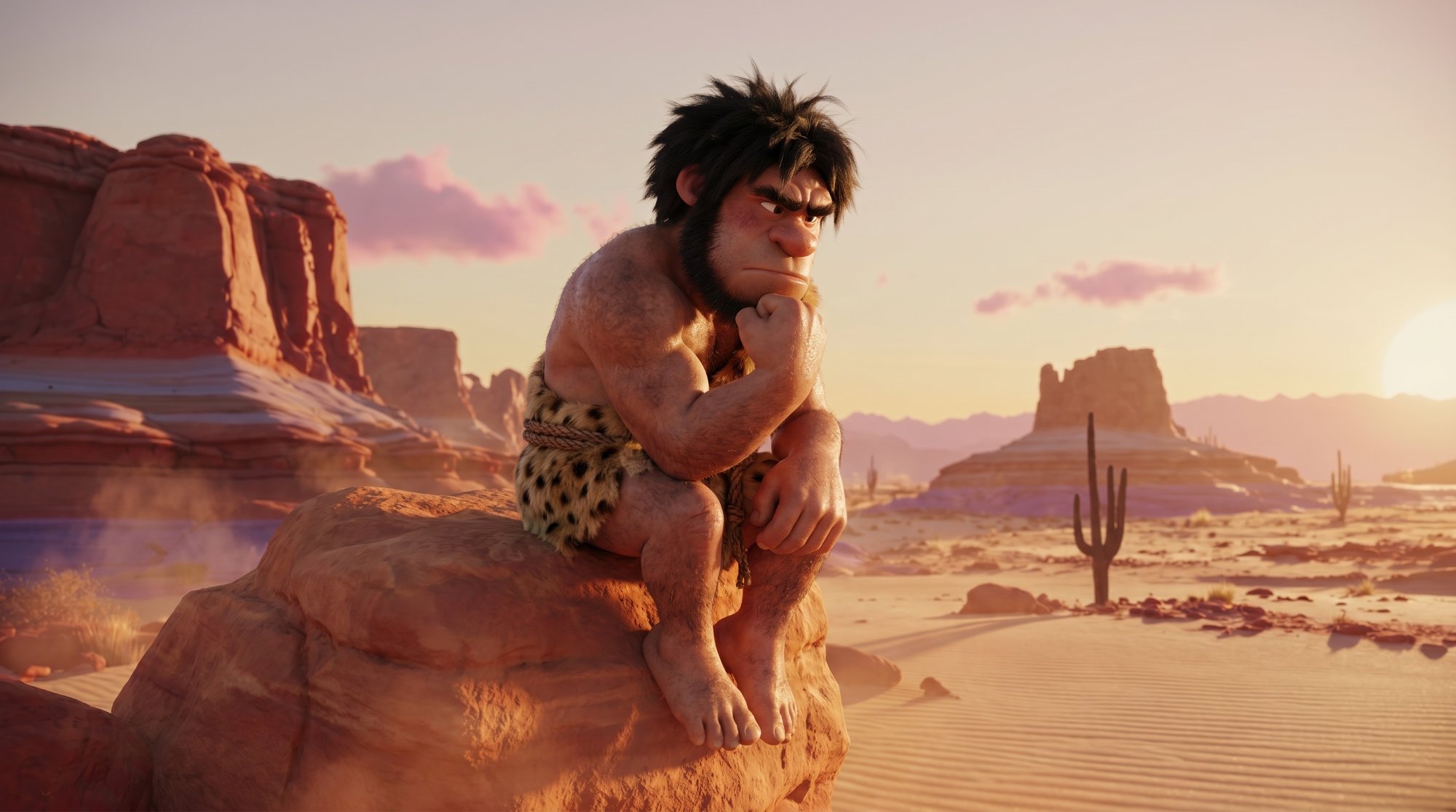
Everything starts with an idea, and for a bumper the idea had to be small. You've got 15 seconds. That's not enough time for a plot, it's enough time for one joke, one reveal, one feeling.
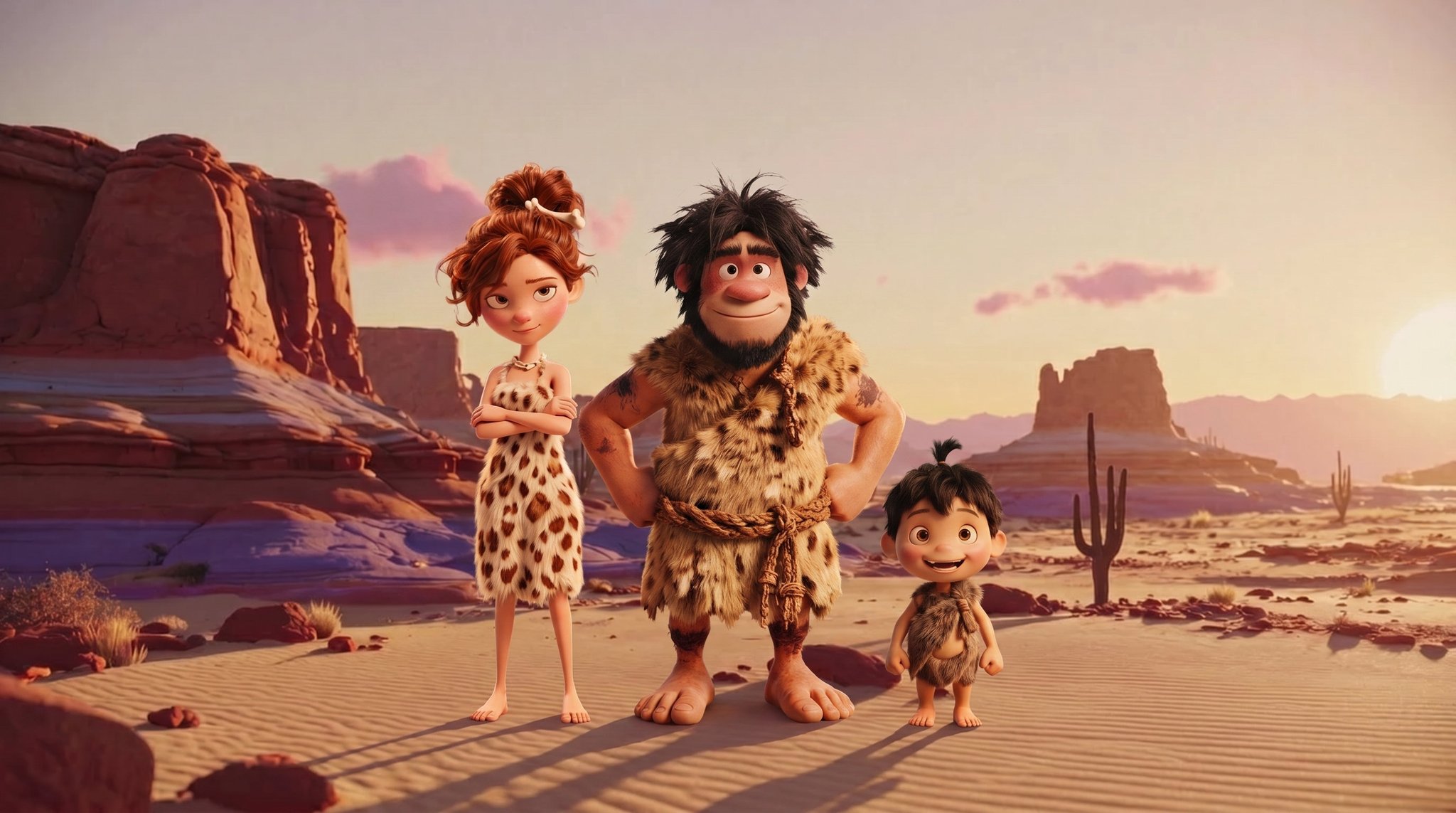
My idea: A caveman finds a boulder in the desert, obsessively chips away at it in secret, then proudly drags his wife and kid over to reveal his masterpiece: AI Music Video Show logo, carved in stone.
Tip for beginners: Don't skip this step and jump straight to prompting. A video generator can make pretty pictures all day long, but it can't give you a reason for those pictures to exist. The idea is the one thing AI can't do for you, though it's a great brainstorming partner while you hunt for one.
Step 2: Turn the Idea Into a Story/Script
Next, I expand the idea into a short story or script. This step matters more than people think, because the script tells you what characters you need to create and what scenes or backgrounds need to be made. It's your shopping list for the whole project.
I worked with my AI assistant to break the idea into five beats/scenes:
- The Discovery: Krog the caveman finds a massive boulder. Idea strikes.
- The Work Begins: He starts chiseling. We never see what he's carving.
- The Montage: Extreme close-ups: hands, sweat, flying chips, concentration.
- The Family: He excitedly drags his wife and kid over. Carving still hidden.
- The Reveal: Camera pulls back. It's the logo. The family is awestruck.
Notice the trick: the carving stays hidden until the very last shot. That's what makes 15 seconds feel like a story instead of a slideshow. Comedy and reveals are all about withholding.
From this script, my shopping list wrote itself:
Characters: Krog (caveman), Oona (his wife), Pebble (their kid)
Scenes: A golden-hour red-rock desert, a big smooth boulder
Special asset: The logo itself (more on this disaster later)
Step 3: Create Your Characters and Reference Images
Here's the single biggest thing that separates AI video that looks intentional from AI video that looks like random clips: character consistency. If your caveman has a different face in every shot, the story falls apart.
The fix is building what I call a cast bible reference images for every character that you upload alongside every video prompt.
My process for consistent characters
- Write a prompt for your first character. Run it through different image models until you get the look you're going for. I made my first image of Krog on mirrorize.ai, which lets you run the same prompt through multiple models side by side, same caveman, very different results. Don't settle, this face is about to be in every shot of your video.
Krog attempt #1 — same prompt, Event Horizon Model
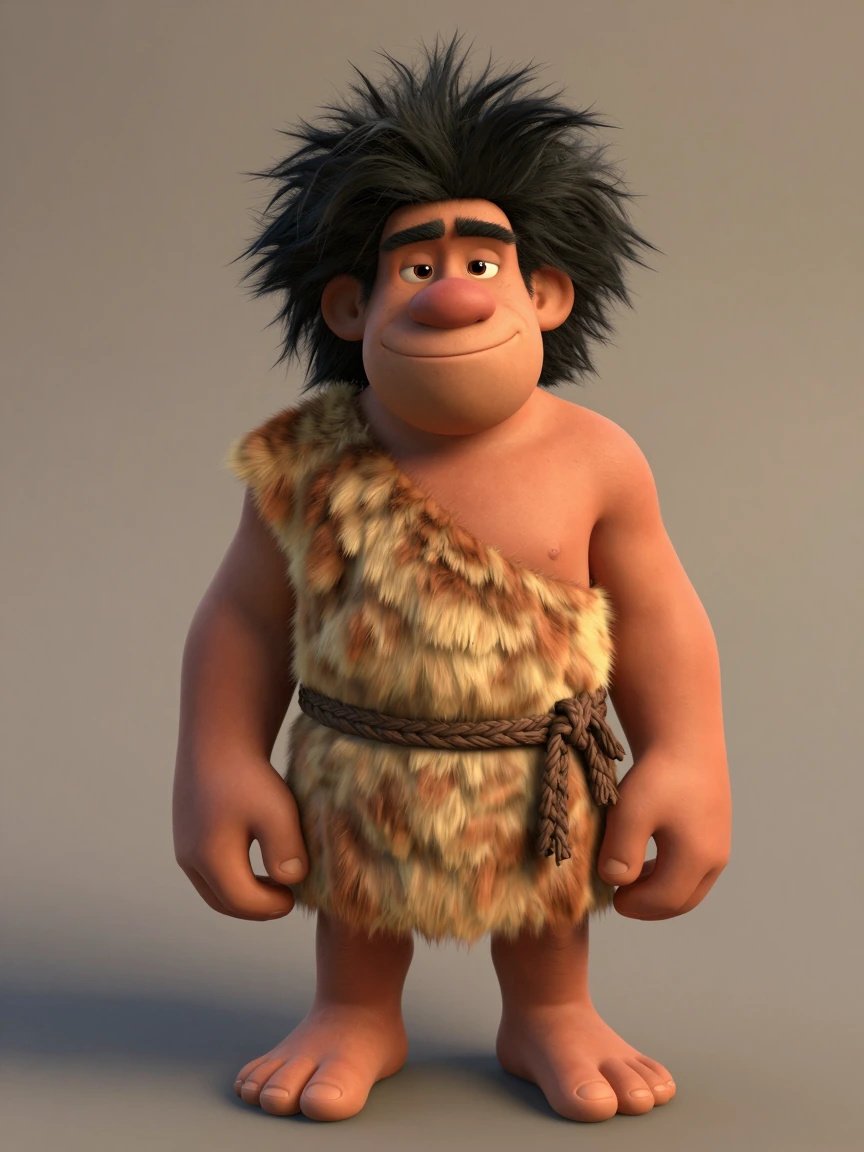
Krog attempt #2 — same prompt, Drawn Model
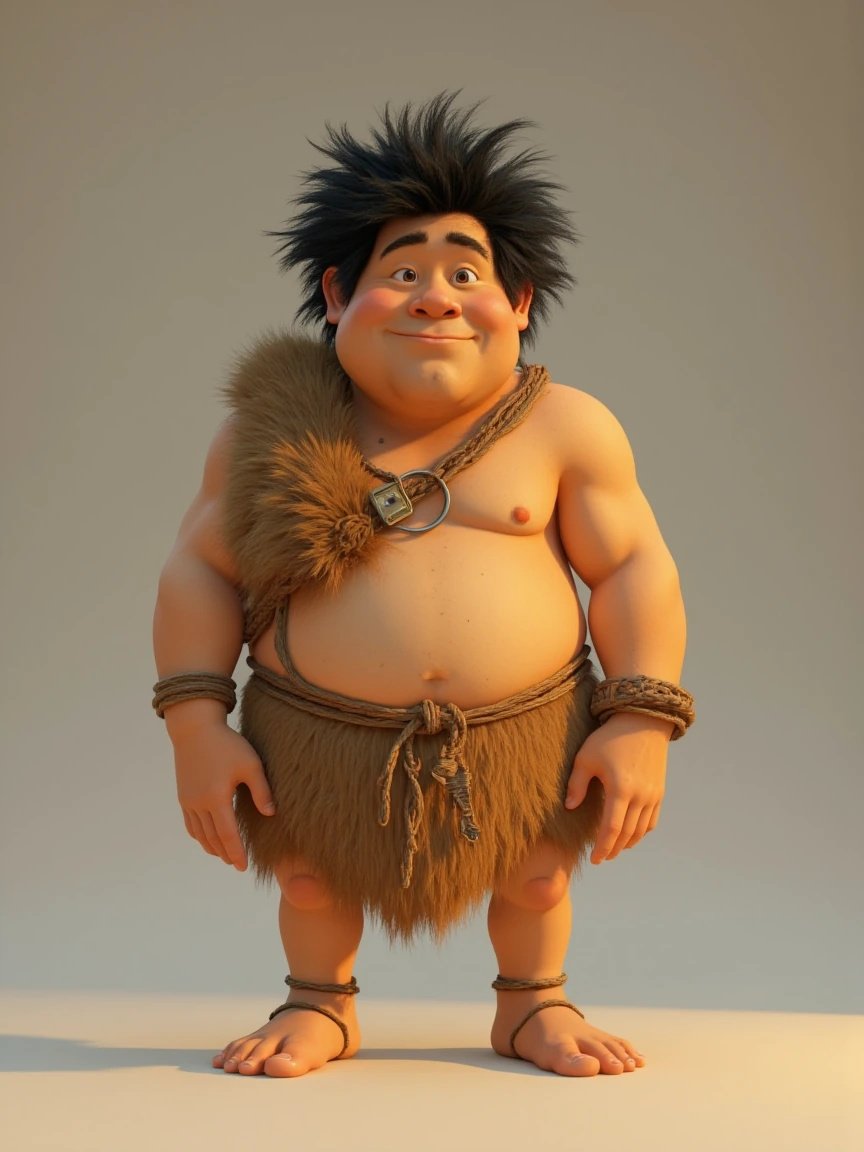
Krog attempt #3 — same prompt, Axis Model (the winner, the look I was going for)
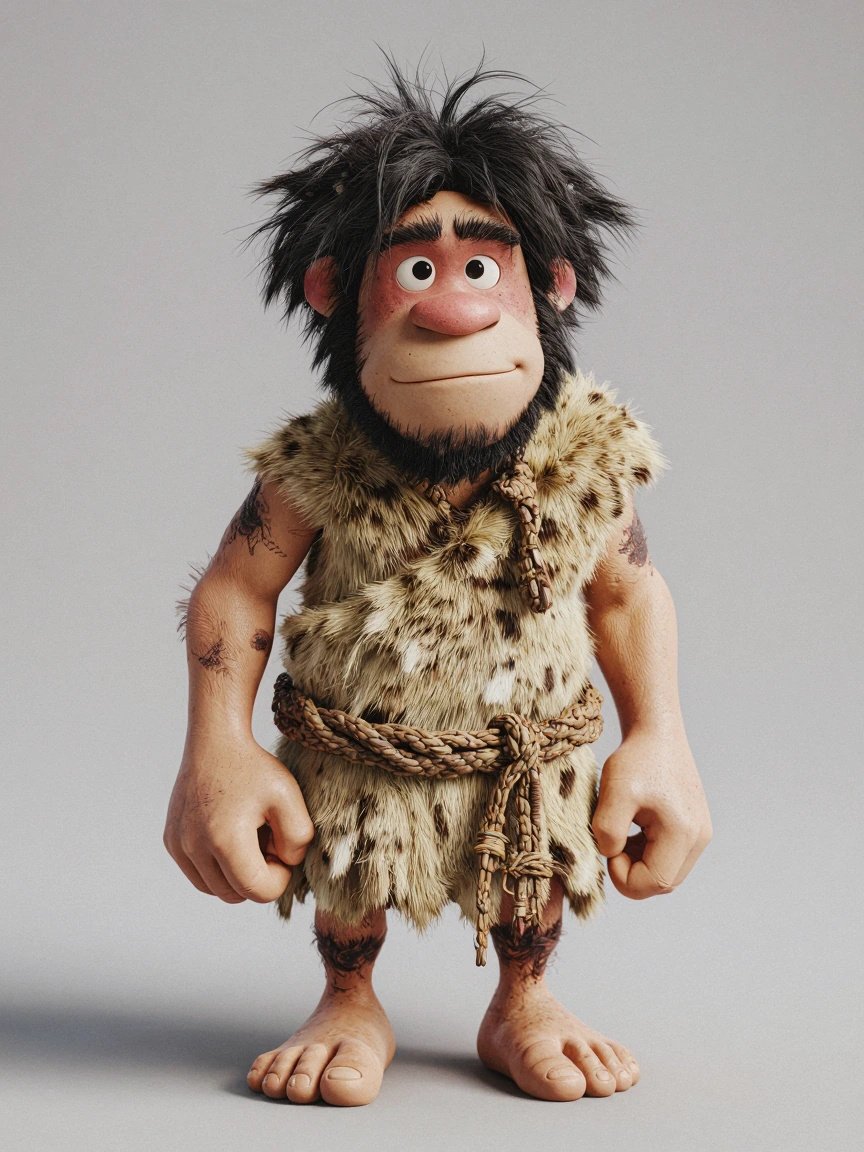
- Once you've got a winner, build the rest of the cast FROM that prompt. Either modify the prompt yourself, or hand it to an AI assistant and say "write me a wife and a child character in this exact same style." This is the secret to a cast that looks like they belong in the same movie, every character description inherits the same style DNA as the first one.
- Generate a clean, single-subject image of each character on a plain background.
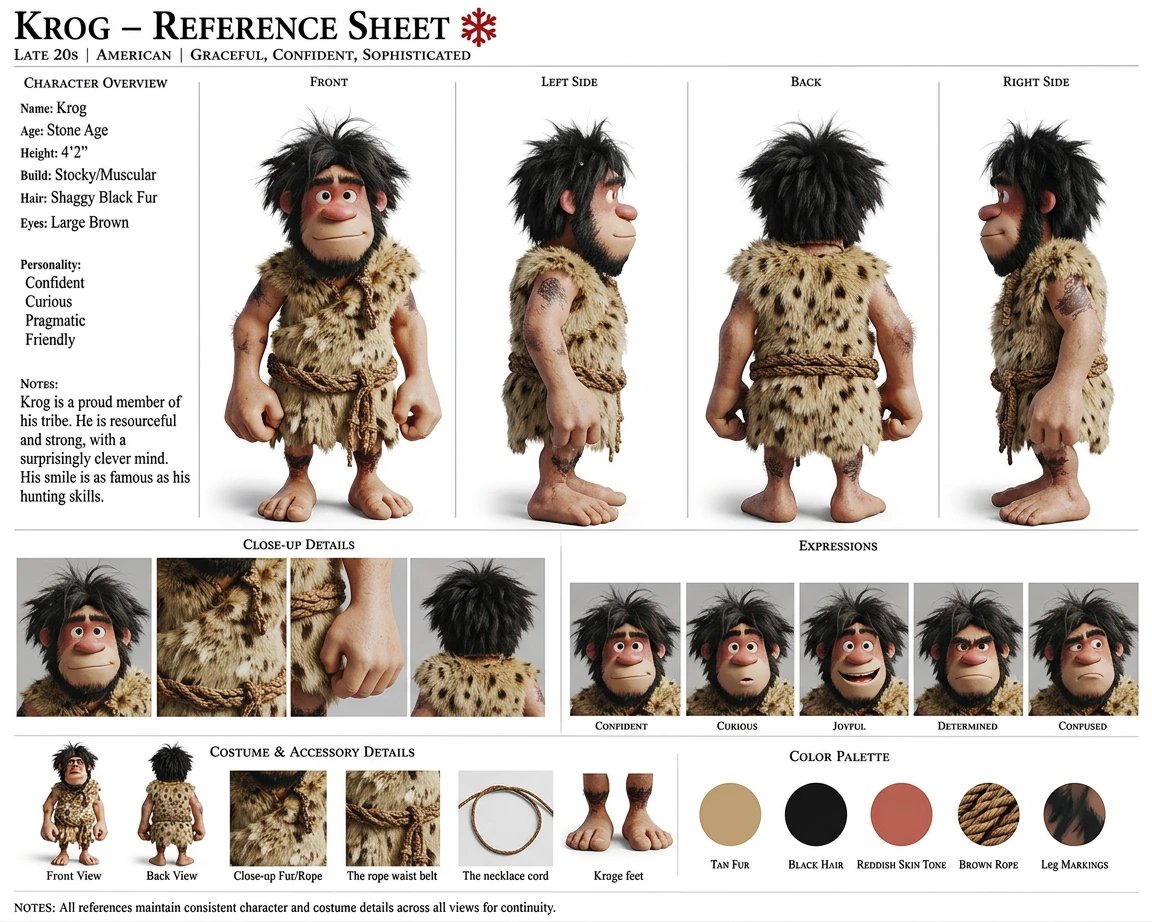
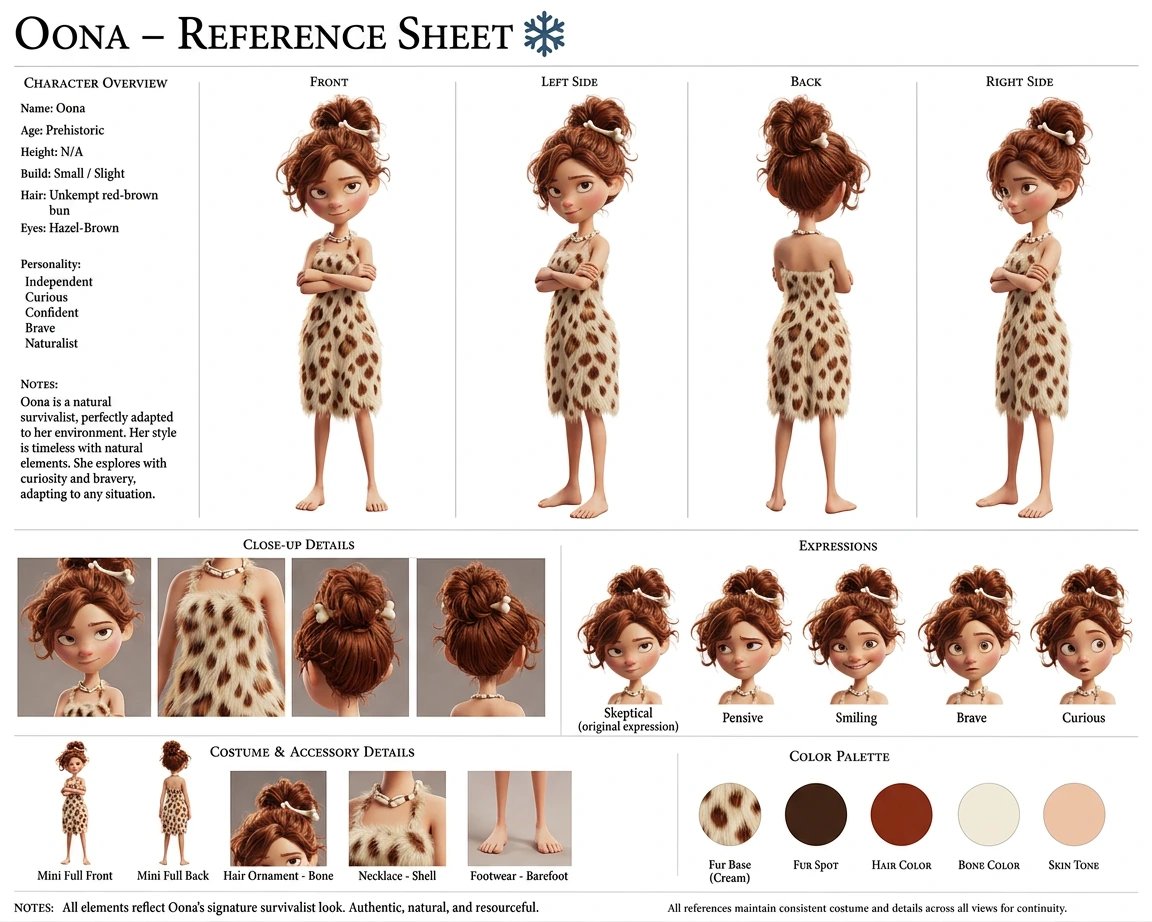
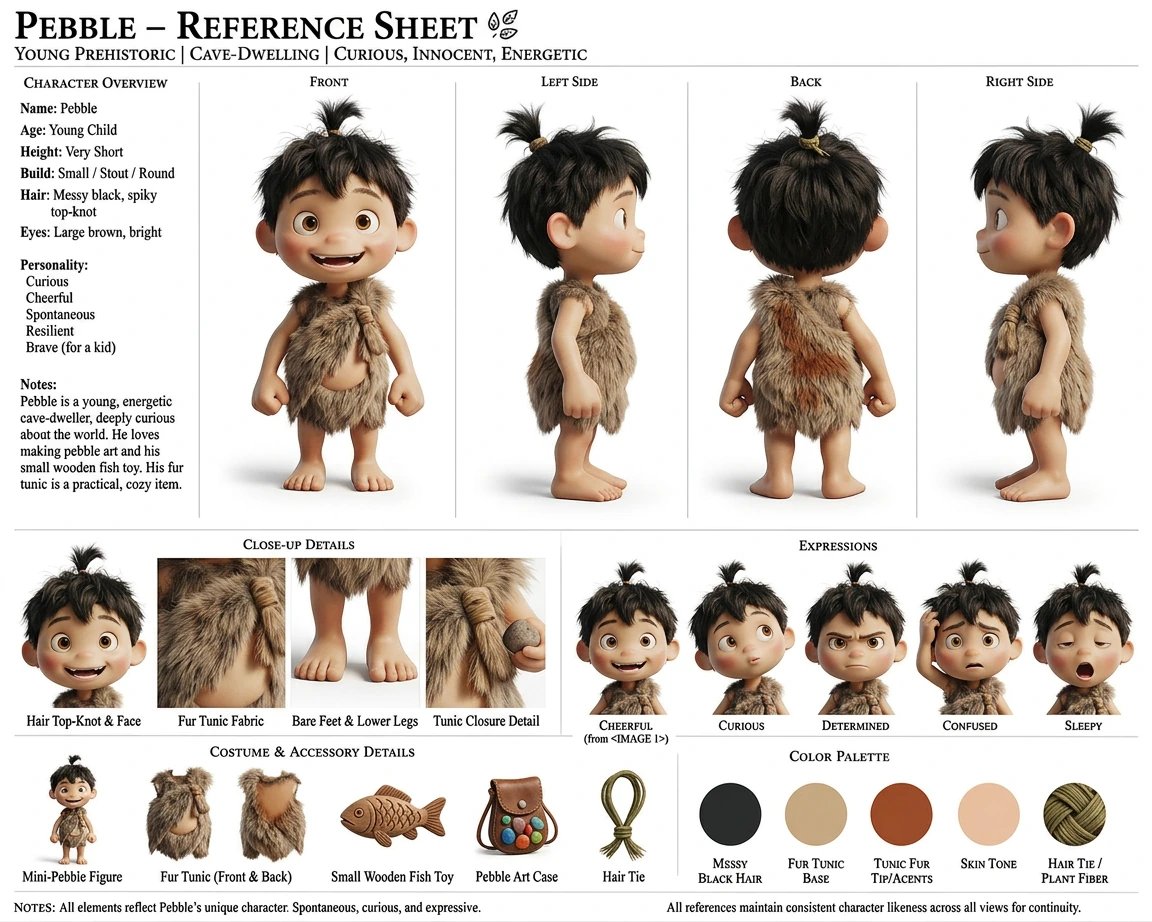
- Once you have a character, make a reference sheet. Go into the Mirrorize AI Studio, click on Character → Add Character. From there you can select Generate Reference Sheet to make a character style sheet it gives your character a 360° view with different facial expressions.
Here's my cast:
Krog — full body reference, plain background
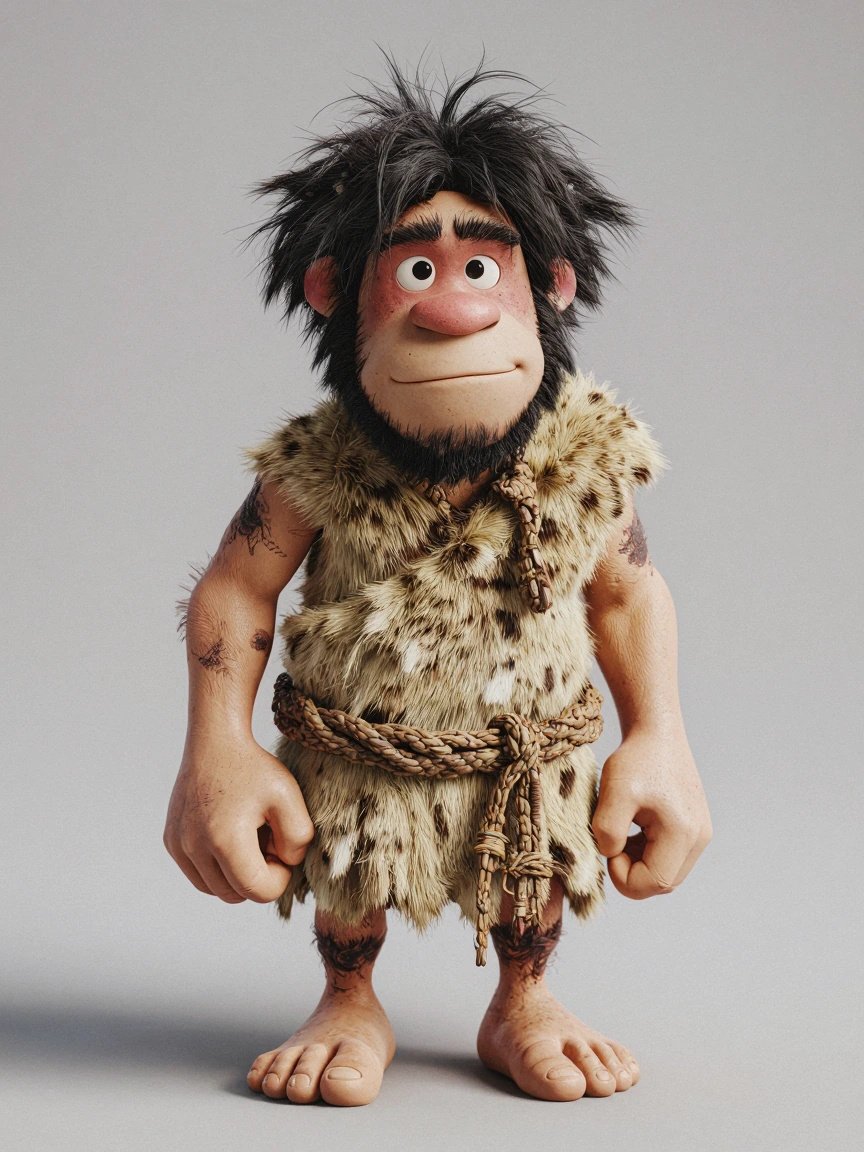
PROMPT
3D animated cartoon character, Pixar-style full-body render. Stocky barrel-chested caveman standing in a relaxed neutral pose, arms at his sides: wild shaggy jet-black hair, heavy unibrow, broad nose, sun-weathered tan skin, short bowed legs, big bare flat feet with stubby toes. Wearing a tan mottled fur tunic draped over the left shoulder, belted at the waist with a braided vine cord. Holding nothing. Friendly dopey expression. Neutral warm gray studio backdrop, soft even golden lighting, full figure visible head to toe, sharp focus, detailed fur and skin texture, 4K render quality. Single character, front-facing. Negative: multiple views, character sheet, turnaround, props, weapons, text, watermark, cropped feet, extra people
Oona — full body reference, plain background
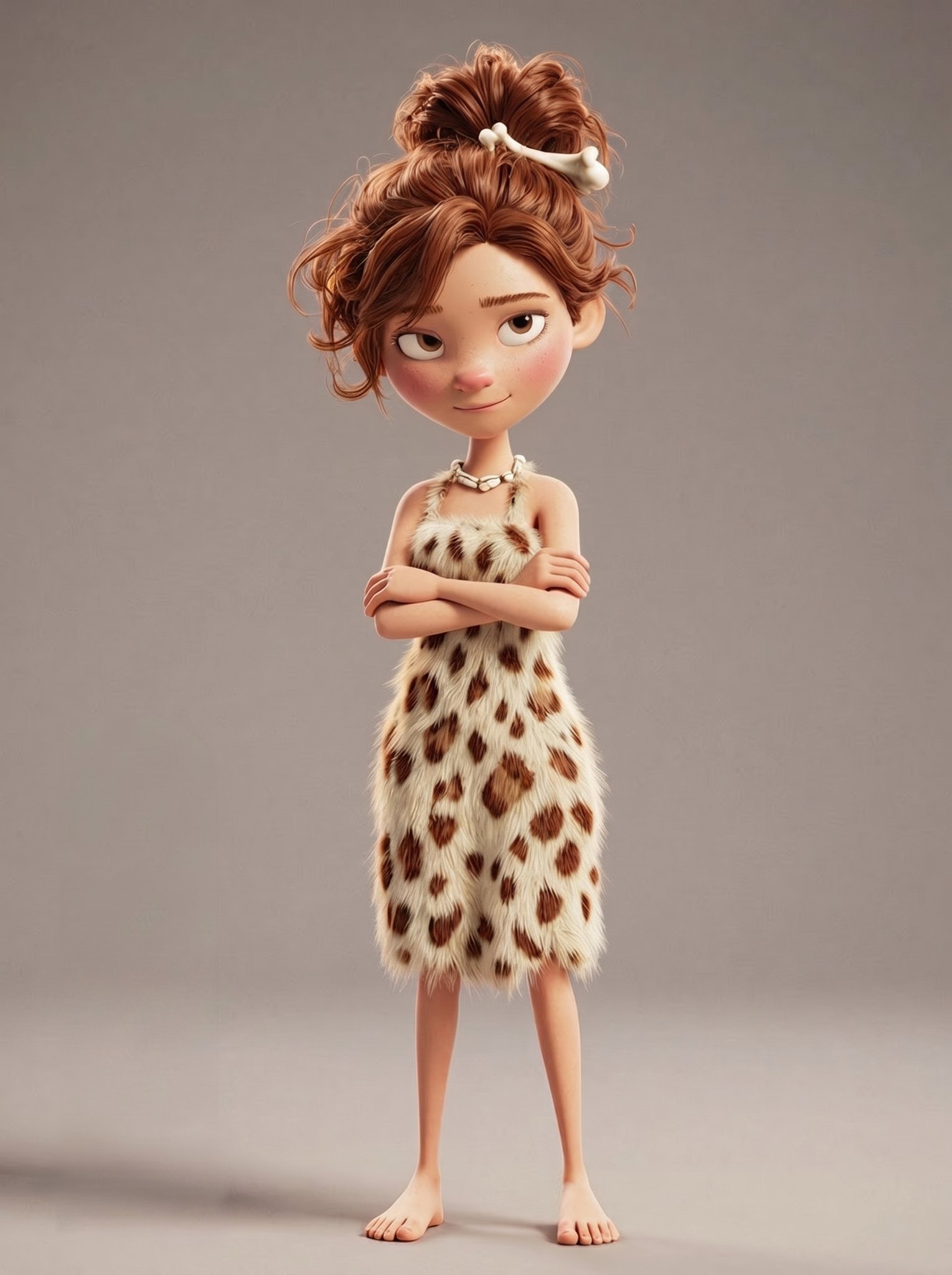
PROMPT
3D animated cartoon character, Pixar-style full-body render. Cavewoman in her 30s standing in a relaxed neutral pose: auburn wavy hair swept into a high messy bun pinned with a small white bone, expressive hazel eyes, soft round cheeks, light sun-freckled skin. Wearing a knee-length spotted fur dress (cream fur with brown leopard-like spots), one shoulder bare, simple shell necklace, bare feet. Arms crossed loosely with a fond but skeptical raised eyebrow and a small smirk — the look of a wife who has seen many bad ideas. Neutral warm gray studio backdrop, soft golden three-point lighting, full figure head to toe, sharp focus, rich fur and hair texture, 4K render quality. Single character, front-facing. Negative: multiple views, character sheet, turnaround, text, watermark,
realistic photo style, extra people
Pebble — full body reference, plain background
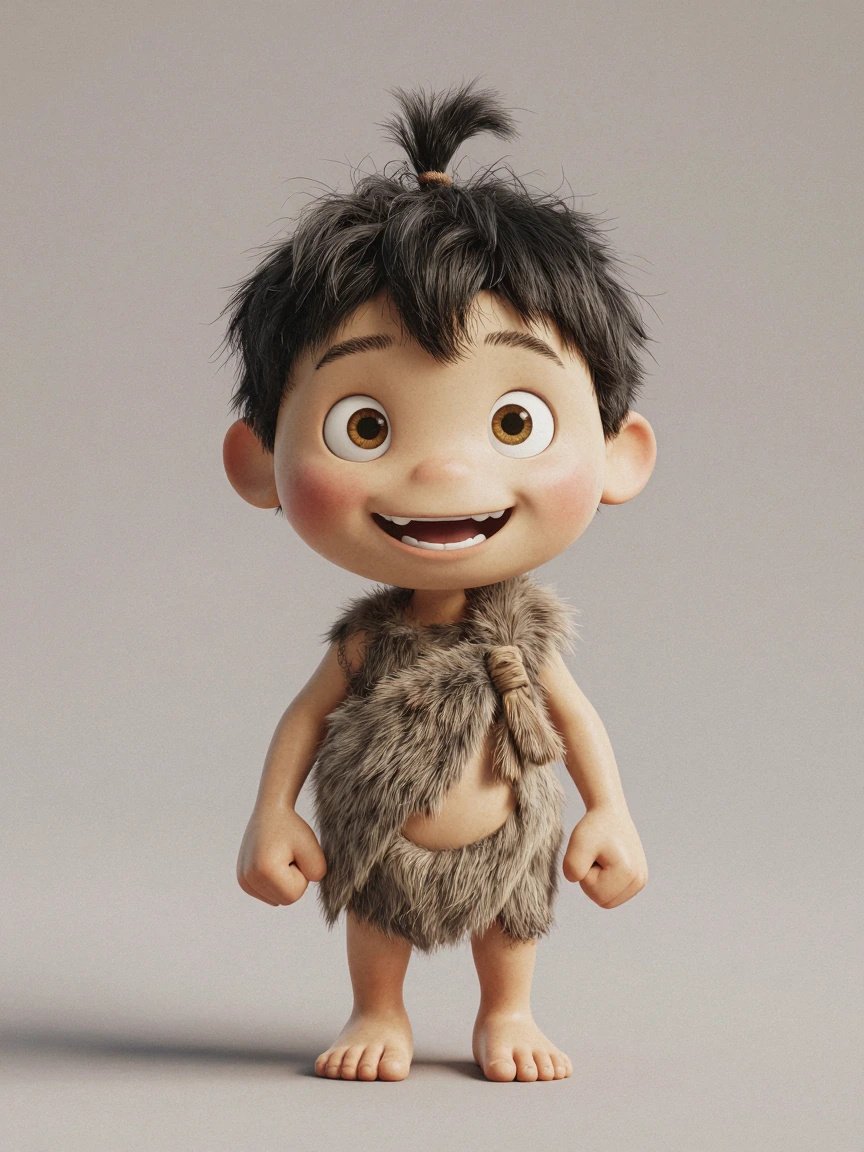
PROMPT
3D animated cartoon character, Pixar-style full-body render. Adorable caveman toddler around 4 years old standing in a neutral pose: oversized round head, single upright tuft of jet-black hair, huge curious amber eyes, chubby cheeks, two tiny front teeth in an open-mouthed grin, light tan skin. Wearing a simple gray-brown fur wrap tied over one shoulder, bare feet, tiny pot belly. Hands balled in excited little fists at his sides. Neutral warm gray studio backdrop, soft golden lighting, full figure head to toe, sharp focus, soft plush-looking fur texture, 4K render quality. Single character, front-facing. Negative: multiple views, character sheet, turnaround, text, watermark, extra
people, realistic photo style
Here are the reference sheets I made in the Mirrorize AI Studio for each character (front/side/back views, expressions, costume details):
Krog — full body reference, plain background
Oona — full body reference, plain background
Pebble — full body reference, plain background
Finally, I made one scene reference — a desert still that locks in the palette and lighting across all five renders:
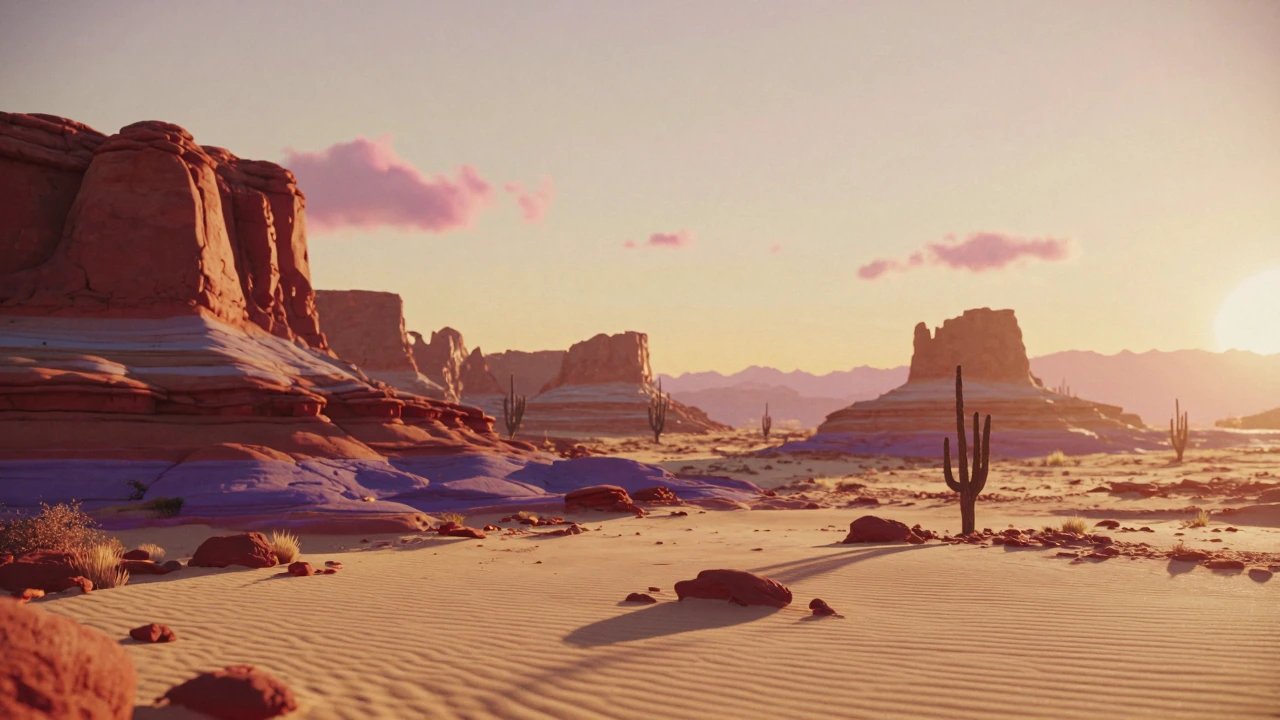
PROMPT
3D animated environment render, Pixar-style stylized desert landscape, no characters. Wide cinematic vista at golden hour: towering layered red-rock buttes and mesas in warm terracotta and burnt-orange bands, long violet shadows stretching across rippled golden sand. Scattered saguaro cacti in dark silhouette against a glowing amber-to-peach gradient sky, a few wispy pink clouds, heat shimmer on the horizon. Sparse desert scrub and small sandstone rocks in the foreground. Anamorphic widescreen 16:9 composition, soft volumetric golden light, rich painterly texture detail, warm golden-hour color palette, 4K render quality. Negative: people, animals, characters, buildings, roads, text, watermark, photorealistic style, midday lighting
Step 4: Write Your Video Prompts
Now the fun part. For each of the five shots, I wrote a detailed prompt. Again, I use AI to help me write these, I describe the shot in plain language, and we go back and forth until the prompt covers everything.
Every prompt follows the same rules:
- Define your characters by pointing at the uploaded reference images ("Define the caveman in @Image1 as Krog")
- Describe the shot — camera, action, expressions, in plain visual language
- Sound effects in
< >brackets, music in( )brackets
- Style lock — a paragraph that repeats the look you want in every single prompt (this is your consistency glue)
- Negative instructions — no subtitles, no watermarks, no text
Here are all five, exactly as I ran them.
Render 1 — "The Discovery"
Upload: Krog reference image, desert scene reference. Generated 5 seconds, used about 3.
Define the stocky cartoon caveman with wild black hair, heavy brow, and tan fur tunic over one shoulder in @Image1 as Krog.Shot 1: Wide shot of a sun-baked red-rock desert at golden hour, heat shimmer on the horizon. The camera slowly pushes in as Krog trudges into frame from the left, shoulders slumped, dragging a wooden club. He stops mid-step. His head slowly tilts upward to face a massive smooth boulder standing alone in the sand. His eyes widen and his mouth opens slightly. He drops the club from his right hand. <dry desert wind, slow heavy footsteps in sand, a soft curious grunt, wooden club thudding into sand>(sparse mysterious cinematic score, low strings and a single distant
flute, sense of wonder building)The entire video should have a polished 3D Pixar-style animated cartoon look, anamorphic widescreen 16:9, warm golden-hour palette with long shadows, rich details, soft cinematic lighting, natural smooth motion with no stutter or flicker. Krog's face remains stable throughout with no deformation and no identity drift. Keep it subtitle-free. Do not generate any text or subtitles. Do not generate a watermark. Do not generate any logos.
Render 2 — "The Work Begins"
Upload: Krog, desert scene reference. Generated 6 seconds, used about 3.5.
Define the stocky cartoon caveman with wild black hair, heavy brow, and tan fur tunic over one shoulder in @Image1 as Krog.Shot 1: Locked-off medium shot of Krog standing at the side of a massive boulder in a golden desert, photographed from behind his right shoulder so the boulder's working face stays hidden from the camera. He grips a pointed stone chisel in his left hand and a rounded hammer-stone in his right hand. He raises the hammer-stone to shoulder height and strikes the chisel in a steady controlled rhythm. Small rock chips and puffs of dust pop away from the hidden face of the boulder with each strike. His brow furrows in concentration and he leans into the work. <sharp rhythmic stone on-stone chisel strikes, rock chips scattering, short effort grunts on the heavier hits>(cinematic score building momentum, percussion entering in time with the chisel strikes)The entire video should have a polished 3D Pixar style animated cartoon look, anamorphic widescreen 16:9, warm golden-hour palette, rich details, soft cinematic lighting, natural smooth motion with no stutter or flicker. The carved surface of the boulder is never visible to the camera. Krog's face remains stable throughout with no deformation and no identity drift. Keep it subtitle-free. Do not generate any text or subtitles. Do not generate a watermark. Do not generate any logos.
Render 3 — "The Montage"
Upload: Krog only. Generated 6 seconds, used about 3.
Define the stocky cartoon caveman with wild black hair, heavy brow, and tan fur tunic over one shoulder in @Image1 as Krog.Shot 1: Extreme close-up of Krog's thick hands as the hammer-stone strikes the chisel, rock chips flying toward the lens in shallow depth of field, the stone surface behind blurred completely out of focus. <crisp stone strike, chips skittering> Shot 2: Extreme close-up of Krog's face in profile, eyes squinted in fierce concentration, tongue poking out of the corner of his mouth. A single bead of sweat rolls down his temple and drips off his jaw. <focused breathing, one short determined grunt> Shot 3: Extreme close-up of Krog's lips as he blows a puff of rock dust off-screen, dust particles swirling through the warm backlight. He gives a satisfied low grunt. <a sharp breath blowing dust, drifting particle hiss, a deep satisfied grunt>(driving percussive cinematic score synced to the strikes, rising in intensity across the three shots)The entire video should have a polished 3D Pixar-style animated cartoon look, anamorphic widescreen 16:9, warm golden-hour palette, shallow depth of field, rich details, natural smooth motion with no stutter or flicker. The carved artwork itself is never visible — always off-frame or fully out of focus. Krog's face remains stable throughout with no deformation and no identity drift. Keep it subtitle-free. Do not generate any text or subtitles. Do not generate a watermark. Do not generate any logos.
Render 4 — "The Family"
Upload: Krog, Oona, Pebble, desert scene reference. Generated 5 seconds, used about 2.5.
Define the stocky cartoon caveman with wild black hair, heavy brow, and tan fur tunic over one shoulder in @Image1 as Krog. Define the cartoon cavewoman with auburn hair in a bone-pinned bun and spotted fur dress in @Image2 as Oona. Define the small cartoon cave-child with a round face and tuft of black hair in @Image3 as Pebble.Shot 1: Lateral tracking shot following Krog as he hurries across the golden desert sand, gently pulling Oona along by the wrist with his left hand while waving his right arm forward with excitement. Pebble runs behind them with short quick steps, arms pumping. Krog guides them to a stop facing the massive boulder, which the camera sees only from behind — its carved face hidden. Oona crosses her arms with a skeptical look. Krog bounces on his heels, grinning. <excited rapid grunting, quick pattering footsteps in sand, Oona's short unimpressed huff>(cinematic score rising with anticipation, then suspending on a held string note at the end)The entire video should have a polished 3D Pixar-style animated cartoon look, anamorphic widescreen 16:9, warm golden-hour palette, rich details, natural smooth motion with no stutter or flicker. The carved face of the boulder is never visible. All three characters' faces remain stable throughout with no deformation and no identity drift. Characters with completely identical appearance are prohibited; do not generate duplicate avatars or a twin effect. Keep it subtitle-free. Do not generate any text or subtitles. Do not generate a watermark. Do not generate any logos.
Render 5 — "The Reveal" (a.k.a. The Hard One) I had to really figure out this one to get the shot right.
Upload: Krog, Oona, Pebble, logo reference. Generated 5 seconds, used about 3.
Define the stocky cartoon caveman with wild black hair, heavy brow, and tan fur tunic over one shoulder in @Image1 as Krog. Define the cartoon cavewoman with auburn hair in a bone-pinned bun and spotted fur dress in @Image2 as Oona. Define the small cartoon cave-child with a round face and a single tuft of black hair in @Image3 as Pebble. Each
reference image contains exactly one person, and each defined character appears exactly once in the scene.Shot 1: The camera slowly pulls out from behind Krog, Oona, and Pebble, who stand side by side in a single row with their backs to the camera. As the frame widens, it reveals that the entire boulder has been sculpted into a monumental three-dimensional stone version of the design in @Image4: the two large rounded letterforms standing as massive carved sandstone shapes towering over the family, hand-chiseled texture on every surface, and the row of smaller block lettering from @Image4 chiseled in relief across a long stone slab at the base. The low golden-hour sun rim-lights the sculpted edges and fine rock dust still drifts off the freshly carved surfaces. Krog spreads both arms wide in a grand presenting gesture. Oona raises both hands slowly to cover her mouth. Pebble's jaw drops and he points up at the stone letters with one small finger. <a triumphant awed gasp, soft amazed grunts, faint settling rock dust>(full triumphant cinematic orchestral hit swelling to a majestic sustained finale)The entire video should have a polished 3D Pixar-style animated cartoon look, anamorphic widescreen 16:9, warm golden-hour palette, rich details, natural smooth motion with no stutter or flicker. The stone sculpture precisely matches the proportions and letterforms of the design in @Image4 and remains rigid and unchanging throughout the video. All three faces remain stable with no deformation and no identity drift. Exactly three characters appear in this video: Krog, Oona, and Pebble. Do not generate any additional people. Characters with completely identical appearance, clothing, and accessories are prohibited; do not generate duplicate avatars or a twin effect. Keep it subtitle-free. Do not generate any subtitles or captions. Do not generate a watermark. Do not generate any text or logos other than the stone-carved
lettering and letterforms from the @Image4 design.
Lesson Learned #2: You Can't Just Upload a Logo
This was my biggest failure on the project, and the most valuable thing I learned, so let's talk about it.
My first attempts at the reveal shot, I uploaded the actual logo file, a flat white-on-black graphic, as the reference image and asked Seedance to carve it into the boulder.
The fix: close the gap yourself. I went into Nano Banana first and generated a still image of what I actually wanted the final frame to look like. The logo already carved into a boulder, in the desert, at golden hour:
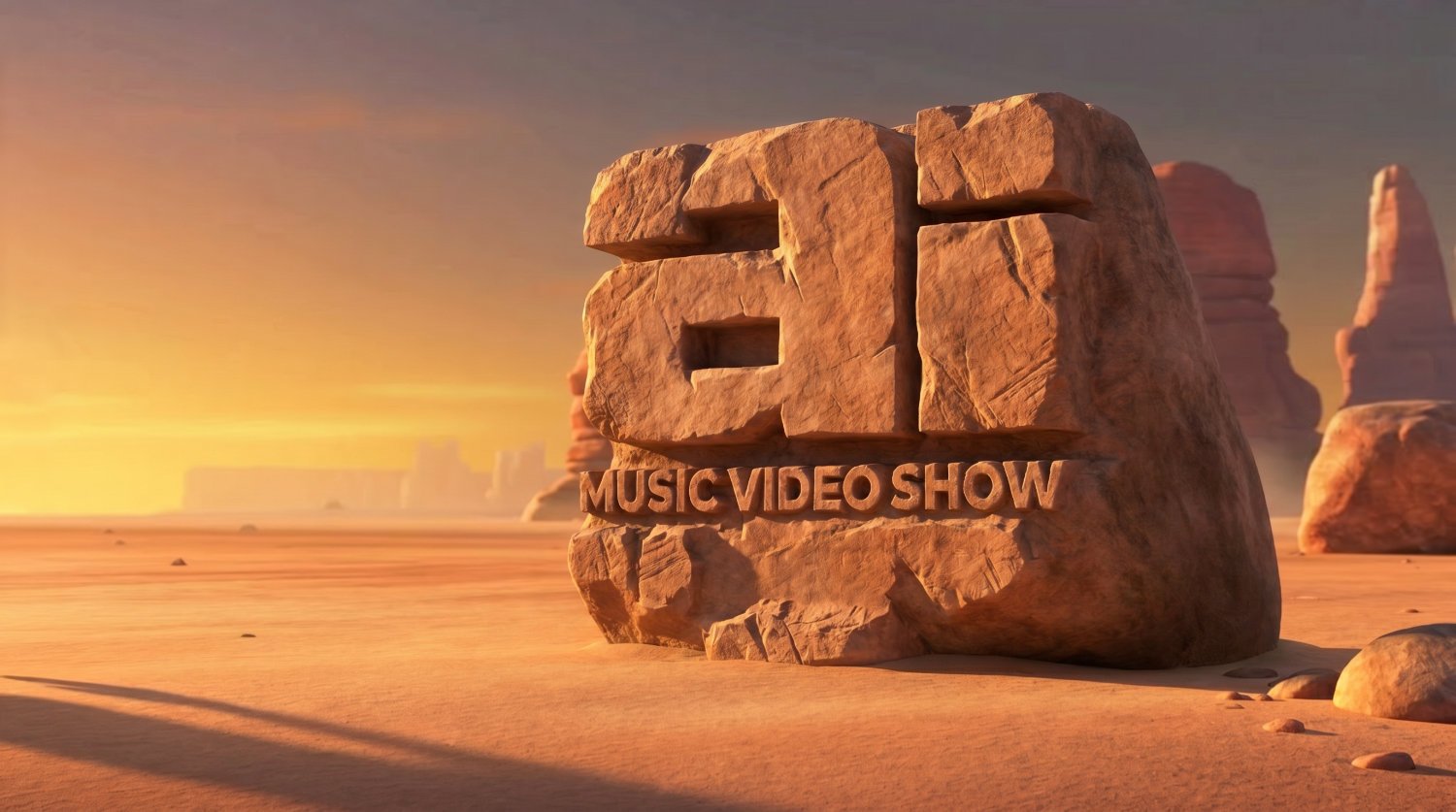

Then I gave this image to Seedance 2.0 as the reference. Suddenly the model understood, because I wasn't asking it to imagine a transformation anymore. I was just asking it to animate something it could already see.
The general principle: if a video model keeps failing at something, stop re-rolling and ask whether you can hand it a better reference.
Step 5: Run Your Prompts (and Re-Run Them)
The Reality: you might have to run each prompt a few times. That's not failure, that's the medium. My rough flow for each shot:
- Run the prompt.
- Watch the result. Is the character on-model? Is the camera doing what I asked? Is the forbidden thing (the carving!) staying hidden?
- If something's off, change the prompt before re-rolling. If the same problem shows up twice, the prompt is the problem. Be more specific about the thing that's failing.
- If it's almost right, re-roll once or twice there's natural variation between runs.
A few habits that save money and sanity:
Generate longer than you need. I generated 5–6 seconds per shot but only planned to use 2.5–3.5 seconds of each. AI clips often have soft, mushy first and last moments, extra length gives you trim handles so you can cut to the good part.
Total raw footage was about 27 seconds for a 15-second bumper.
Keep your "style lock" paragraph identical in every prompt. Same wording, every time. It's boring, and that's the point.
Step 6: The Edit (DaVinci Resolve) - You can use any editor
Upscale first. Seedance gives me 720p files. I bring them into Resolve and upscale 3x to 4K before doing anything else. (Resolve's Super Scale is under clip attributes — right-click the clip in the media pool.) Working in 4K gives you room to punch in, reframe, and stabilize without the image falling apart, and the final export holds up on big screens.
Fix the audio. Here's a problem nobody warns you about: each render generates its own musical score, and five different scores will never match across cuts. My solution:
Mute the AI music on every clip where necessary.
Keep the sound effects where they're clean the grunts, the chisel hits, the footsteps. These are gold and they sync perfectly because they were generated with the picture.
Lay one continuous 15-second music cue underneath the whole thing. I generated mine in Suno with a prompt like: "sparse mysterious orchestral intro building to percussive momentum, suspended anticipation, triumphant brass finale, 15 seconds." I actually used this towards the end so it would sound epic.
Fade out the last few frames of audio on every clip. AI-generated audio often ends with a click or pop artifact. A tiny 6-frame fade at every clip tail kills it.
That's it. Just an idea, some patience with re-rolls, and a willingness to treat the failures as part of the process.
Now go make a caveman of your own. Or better, take this workflow and make something I haven't thought of yet. There's no wrong way to do this.
Made something with this workflow? I'd love to see it drop a link on the Mindstream
Here is the final product Final Bumper Project Uploaded to AI Music Video Show