Proximity vs Stellar: Which Mirrorize AI Art Generator Should You Use?
Two Generators, Two Different Philosophies
Proximity and Stellar sit at opposite ends of Mirrorize's creative spectrum. Proximity, the MV2 classic that's been the go-to for thousands of artists, specializes in intimate, cinematic images with that "close enough to touch" quality. Stellar, part of the newer MV4 lineup, pushes toward cosmic grandeur and hyper-stylized visuals that feel like they belong on a sci-fi book cover.
If you're standing in front of Mirrorize's generator picker wondering which one to choose, you're asking the right question. The generator you pick shapes everything — composition, lighting, color palette, even how realistic or stylized your final image looks. Let's break down what each one actually does well.
What Proximity Does Best
Proximity earned its reputation for a reason. It excels at creating images that feel personal and grounded, even when the subject matter is fantastical. The lighting tends toward natural or motivated sources — think golden hour sunlight, practical lamps, the glow from a window. Colors are rich but not oversaturated, and there's usually a shallow depth of field that keeps your subject sharp while the background softly blurs.
Proximity shines when you're making:
- Portraits with emotional depth and natural skin tones
- Environmental storytelling shots that feel lived-in
- Product photography with realistic lighting
- Character designs that need believability
- Urban scenes with atmospheric lighting
- Close-up details that benefit from texture and intimacy
The generator interprets prompts with a bias toward proximity (hence the name). Even if you don't specify it, subjects tend to fill the frame more than they would with other generators. It's like having a photographer who instinctively moves closer to capture the moment.
Proximity also handles human anatomy well. Hands, faces, expressions — the usual AI trouble spots — come out more consistently correct here than with most other generators. If your project centers on people, this matters.
What Stellar Does Best
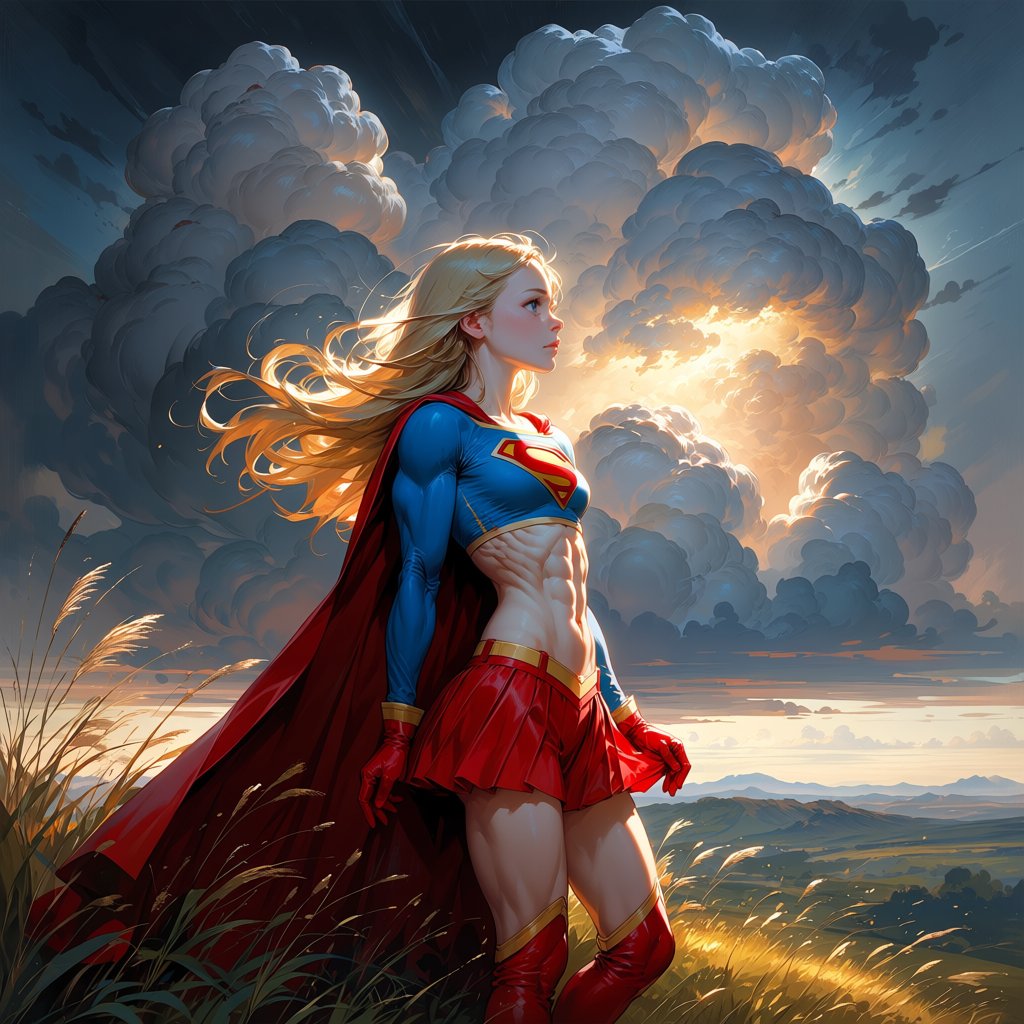
Stellar takes the opposite approach. It's built for scale, drama, and visual impact that makes you stop scrolling. Everything about it pushes toward the epic — sweeping compositions, bold color contrasts, dramatic lighting angles, and a tendency to add atmospheric effects even when you don't ask for them.
Stellar excels at:
- Sci-fi and fantasy landscapes with dramatic skies
- Character designs with bold, stylized aesthetics
- Cosmic and space-themed imagery
- Architecture that needs grandeur and impossible scale
- Concept art that prioritizes visual punch over realism
- Dynamic action shots with motion and energy
- Abstract and surreal compositions
The color palette leans heavily on contrasts. Deep blues against warm oranges, stark whites against rich blacks, neon accents on dark backgrounds. If Proximity is a 35mm film camera, Stellar is an HDR-maxed digital sensor cranked to 11.
Stellar also loves adding light sources. Lens flares, rim lighting, volumetric fog catching rays — these show up frequently even in simple prompts. It's optimized for images that look good as thumbnails, which makes it excellent for social media posts or portfolio pieces that need to grab attention fast.
Style Stacking Changes Everything
Here's where it gets interesting: both generators respond differently to Mirrorize's styles system. You can stack up to three styles from the 100+ available, and the same style combination will produce dramatically different results depending on your base generator.
Take "Cinematic + Dutch Angle + Frozen" as an example. On Proximity, you'll get an intimate scene with unusual camera tilt and cool color grading — think indie thriller vibes. On Stellar, the same stack produces a vast, disorienting landscape with ice formations and dramatic scale.
Proximity works well with:
- Photography styles (Bokeh, Golden Hour, Soft Light)
- Mood & Theme styles that add emotional depth (Melancholic, Nostalgic, Intimate)
- Film & Vintage styles for authentic period looks
- Shots & Angles that emphasize closeness (Close-up, Over the Shoulder, POV)
Stellar pairs naturally with:
- Effects styles (Glowing, Luminous, Particle Effects)
- 3D & Render styles (Octane, Unreal Engine, Ray Traced)
- Artistic styles that lean abstract (Geometric, Splatter, Grunge)
- Shots & Angles emphasizing scale (Wide Angle, Aerial View, Establishing Shot)
The practical takeaway: if you're not getting what you want from one generator, try the exact same prompt and styles on the other. The difference will be dramatic.
Aspect Ratio Matters More Than You Think
Proximity favors portrait and square formats. Its intimate, close-framed aesthetic works naturally in 3:4 or 1:1 aspect ratios. Push it to ultra-wide 21:9 and it sometimes struggles to fill the space meaningfully.
Stellar thrives in landscape and cinematic formats. It knows what to do with 16:9 and wider ratios, filling them with layered compositions and atmospheric depth. Portrait mode on Stellar often creates vertical slices of vast scenes rather than true portraits.
When to Switch Mid-Project
You don't have to commit to one generator for an entire project. Many Mirrorize users generate base images in one, then use the Remix button to reload the prompt and try the other generator as a variation.
This works especially well when you're exploring concepts. Maybe you prompt "cyberpunk street market at night" in Proximity to get the intimate crowd-level view, then Remix the same prompt in Stellar to see the elevated, neon-drenched cityscape version. Both are valid interpretations — they just serve different storytelling needs.
The Animate button works the same on both generators' outputs. Click any gallery image and it loads into the Video tab pre-filled, ready for PixVerse v6 or MVG animation. Proximity's close-framed images often animate into compelling character moments, while Stellar's wide compositions make for striking establishing shots.
Cost Considerations
Both Proximity and Stellar are MV-tier generators, which means they're free for Pro subscribers and cost minimal glass for free users. You're not paying commercial-generator rates (2-10 credits per generation), so experimentation costs you essentially nothing.
This is important: don't overthink the choice. Generate with both. The best way to learn which generator fits your style is to run the same prompt through both and see which output makes you want to keep working with it.
Making the Choice for Your Work
If your art focuses on characters, emotional storytelling, realistic lighting, or anything requiring intimacy and detail — Proximity is your generator. It's been refined over more iterations than most MV2 generators, and that polish shows in consistent quality.
If you're chasing visual impact, creating concept art, exploring sci-fi/fantasy themes, or need compositions that work at any scale from phone screen to poster — Stellar delivers the punch.
Neither is objectively better. They're tools optimized for different jobs. The artists getting the best results on Mirrorize understand this and switch between generators as naturally as a photographer switches lenses.
Head to mirrorize.ai, pick a prompt you've been wanting to try, and run it through both. Check the results in your gallery, stack some styles, see which aesthetic speaks to your vision. The platform makes switching generators one click — use that flexibility.