Qwen Image 2.1: Texture an Entire Scene in Blender, Then Iterate
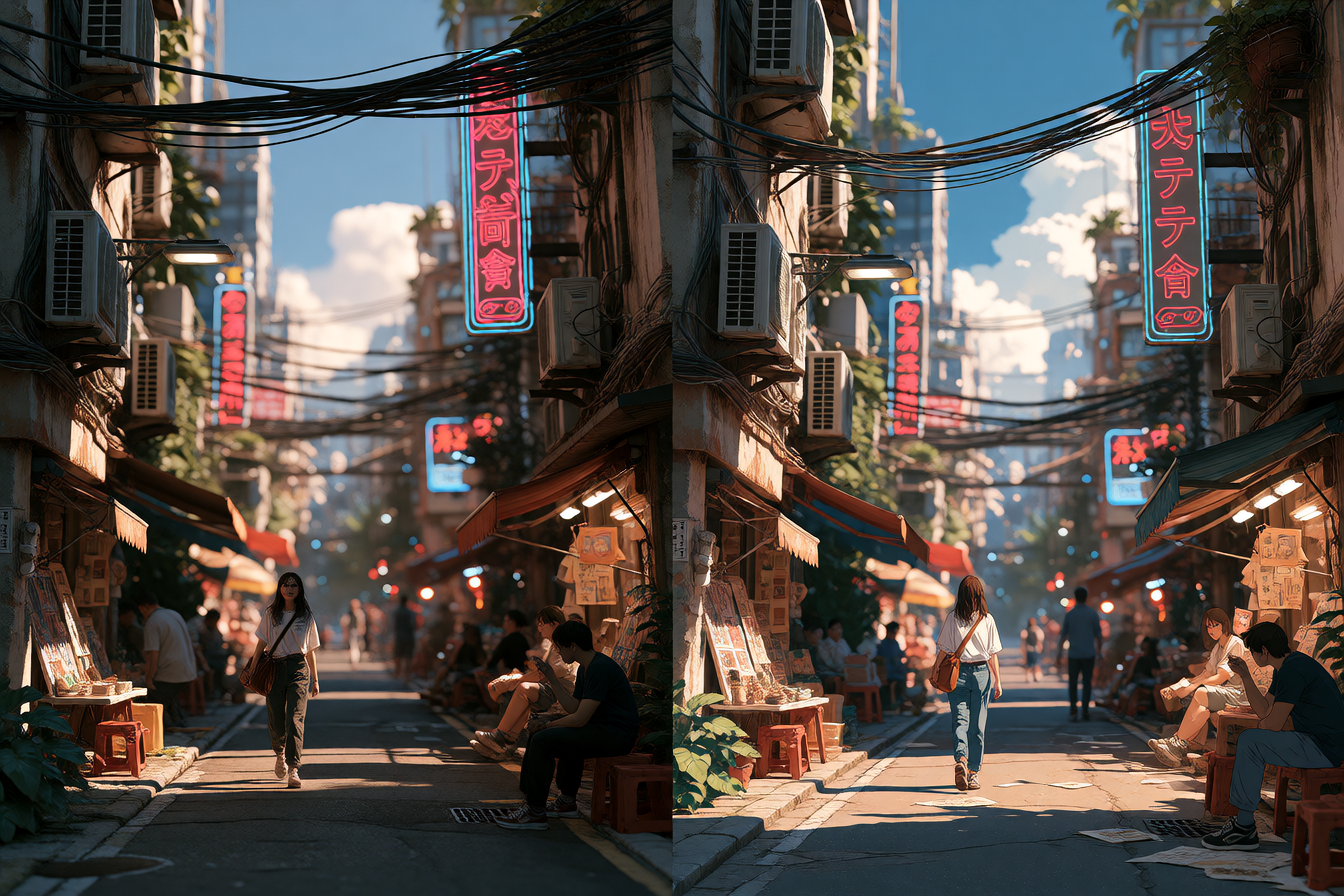
Blender artists have figured out a new shortcut: instead of texturing one asset at a time, they're using Qwen Image 2.1 to texture entire scenes in a single pass, then rendering the same geometry in different aesthetic styles. One creator textured a full street environment, then used the same model geometry to generate cyberpunk, anime, and papercraft versions—three completely different looks from one day's work.
What's happening
Qwen Image 2.1, Alibaba's open-weights text-to-image model released earlier this year, is being used inside Blender via ComfyUI to generate textures that actually respect geometry and lighting. The workflow: build your 3D scene untextured, send it to Qwen with a detailed prompt, get back coherent textures that align to your UVs, then apply them to your model. The key advantage is speed and style flexibility. Because the textures are AI-generated, you can iterate style without re-rendering—same model, same lighting, totally different mood.
What people are making with it
The most-discussed example on r/StableDiffusion is a full street environment. The creator textured asphalt, building facades, signs, vegetation, and street-level props using a single Qwen Image pass, then rendered the same geometry in cyberpunk (neon, reflective), anime (hand-drawn-like), and papercraft (low-poly, illustrated) styles. The post shows side-by-side renders of each version, all sharing the same spatial coherence and detail level. Another workflow documented on Hugging Face uses Qwen Image 2.1 to generate character sheets—feeding one reference image and a detailed system prompt to an LLM, getting back a 900–1600 word production-ready description, then generating a full character sheet with turnarounds, expression studies, and detail grids, all layout-locked and ready to use in MiniMax video generation.
What's actually good (and what isn't)
The strength here is coherence-per-pass and re-stylization speed. Unlike running Qwen on individual assets, texturing an entire scene at once means shadows, weathering, and material continuity usually work across surfaces. Creators report fewer artifacts when the AI "sees" the full geometry context. The workflow is also genuinely time-saving for anyone who needs multiple style treatments—fashion lookbooks, game asset variations, architectural visualization mockups.
The limitation is still token cost and compute. Qwen Image 2.1 is free on Hugging Face if you run it locally (assuming you have 58GB VRAM for the full model), but generating 2K textures for complex scenes takes time even on high-end hardware. The model also still struggles with very specific text rendering inside textures—logos and fine typography can get garbled. And because Qwen's strength is photorealism and painterly quality, abstract or highly stylized texturing sometimes needs post-work.
How to try it
Qwen Image 2.1 is available as open weights on Hugging Face under the Apache 2.0 license. To use it in Blender: download the weights (you'll need a GPU with 40GB+ VRAM for 2K generation, or ~24GB for lower-resolution iterations), install ComfyUI, load the Qwen-Image model as a node, and build a workflow that takes your untextured scene render and outputs textured versions. Multiple creators have shared ComfyUI workflows on GitHub and Reddit—search for "Qwen Image 2.1 Blender" in r/StableDiffusion and r/ComfyUI for downloadable JSON files and prompt templates. If you don't want to run it locally, Qwen Image 2.1 is also available through API on Alibaba Cloud.